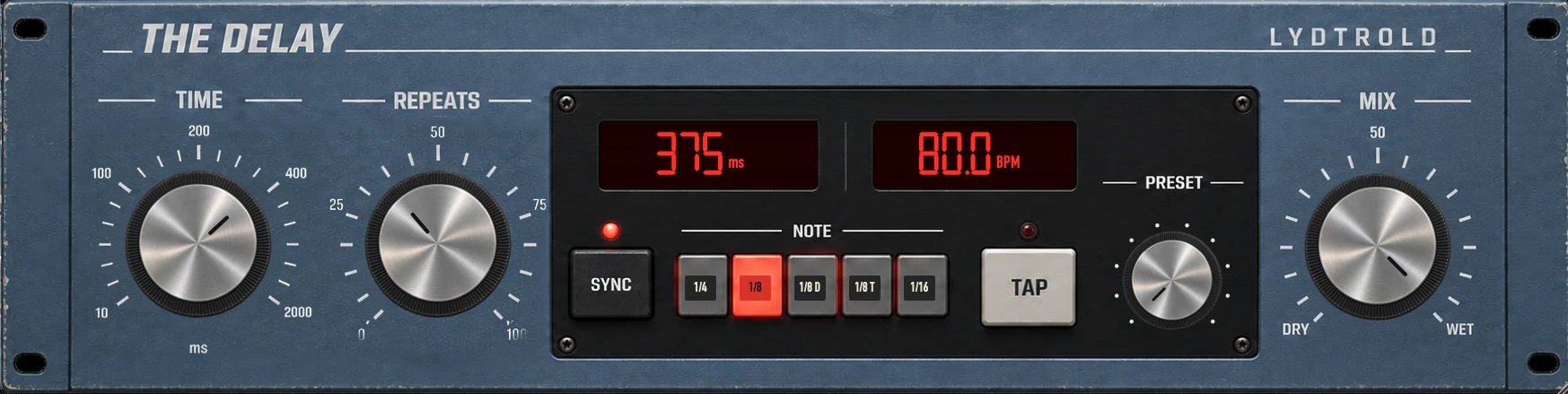
Set the timing first, then the repeats, then the level. Tempo sync is a starting point; the arrangement makes the final decision.
Choose a musical division
With tempo sync enabled, choose a note division against your session tempo. A quarter note produces a different rhythmic space from an eighth note or dotted eighth. Check that the plug-in follows the tempo you intend.
For manual timing, a quarter note in milliseconds is 60,000 divided by BPM. At 120 BPM, that is 500 ms; an eighth note is 250 ms and a dotted eighth is 375 ms.
Use The Delay one control at a time
The Delay provides time, repeats, mix, sync, note selection and tap controls. Start with a low repeat amount and a restrained level. Play a phrase with a gap and hear where the repeat lands.
Increase repeats only until the tail fills the space you want. If the next line becomes harder to understand, reduce the repeats or try a shorter timing.
Choose an insert or a send
As an insert, use Mix to balance the original track and its echoes. On a dedicated send return, use a fully wet effect and control the amount with the send or return level.
A send makes it easy to share one delay between tracks. Keep the return routing simple and avoid accidentally feeding it back into itself.
Try one phrase, then the full arrangement
For a vocal, start with the final word of a phrase. Listen through the next line, not just the gap. A delay that works alone can clash with the next lyric or snare hit.
Short unsynchronised echoes can also be useful when a rhythmic repeat feels too obvious. Choose by listening rather than by the number on the display.